

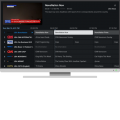



🔥 FREE 72+ HOURS OF IPTV — NO PAYMENT REQUIRED 🔥
Install My IPTV App • Send Me Your MAC Address • I'll Activate It Remotely
25,000+ Live Channels • 160,000+ Movies • 35,000+ TV Series • All Major Sports Packages & PPV
📺 Free 72+ Hour IPTV Trial for HackForums Members
I want to let some HF members test my IPTV service for 72+ hours completely free.
I'm making the setup as simple as possible.
You install our custom TiviMate-based IPTV app, open Add Playlist, and send me the MAC address displayed by the app.
I'll remotely add the IPTV service directly to your app.
You don't have to manually enter a long server URL or IPTV credentials.
INSTALL APP → ADD PLAYLIST → SEND ME MAC → I ACTIVATE 72+ HOURS
🔥 What You'll Get for 72+ Hours
- 25,000+ Live Channels
- 160,000+ Movies
- 35,000+ TV Series
- All Major Sports Packages
- PPV Events
- Sports Hub
- Built-In VPN
- Premium TiviMate-style functionality
- EPG / TV Guide
- Favorites, Search & More
No payment is required for the trial.
I mainly want HF members to install it, try it out, and let me know what they think.
📥 STEP 1 — Install Downloader
If you're using a Firestick / Fire TV, search the Amazon Appstore for Downloader and install it.
Android TV users can install Downloader through the Google Play Store.
![[Image: 1%20-%20Downloader%20search%20results.webp]](https://billing.xtremediscount.net/Public_Images/Knowledgebase/AndroidTV/Tivimate%20Xtreme%20HD%20IPTV%20Edition/1%20-%20Downloader%20search%20results.webp)
⚙️ STEP 2 — Allow Downloader to Install Apps
On Firestick, go to:
Settings → My Fire TV → Developer Options → Install Unknown Apps → Downloader → ON
If you don't see Developer Options:
- Go to Settings → My Fire TV → About
- Highlight your Fire TV device name.
- Press the Select button 7 times.
- Go back and Developer Options should now appear.
![[Image: 8%20Firestick%20Developer%20Options%20Do...%20ON.webp]](https://billing.xtremediscount.net/Knowledgebase/General/Firestick%20Developer%20Options/8%20Firestick%20Developer%20Options%20Downloader%20ON.webp)
📲 STEP 3 — Download My IPTV App
Open Downloader and enter:
9451449
Then press GO and install the app.
![[Image: Downloader%20Code%20Resting%20on%20GO.webp]](https://billing.xtremediscount.net/Knowledgebase/Tivimate%20Xtreme%20Edition%20Install/Downloader%20Code%20Resting%20on%20GO.webp)
Once the download finishes, choose Install and then open the app.
🚨 STEP 4 — VERY IMPORTANT: GET YOUR MAC ADDRESS
This is the important part.
After opening the app, you MUST choose "ADD PLAYLIST."
YOU MUST OPEN "ADD PLAYLIST" TO SEE YOUR MAC ADDRESS
Once you choose Add Playlist, the app will display your unique MAC address.
It will look like this:
![[Image: Mac%20Address.webp]](https://xtremediscount.net/Images/New%20Tivimate%205.3.3/Mac%20Address.webp)
Send me the MAC address shown on YOUR screen.
That's what allows me to remotely put your free IPTV trial directly onto the app.
📩 STEP 5 — Send Me Your MAC Address
You have three ways to send it:
- HackForums: Send me a private message with your MAC address.
- Live Chat: Go to XtremeDiscount.net and send it through the live chat.
- Telegram: Message @XtremeHDChat
Just tell me you're from HackForums and want the 72+ hour free trial.
Once I receive your MAC address, I'll remotely add the service to your app.
NO SERVER URL TO TYPE • NO USERNAME TO TYPE • NO PASSWORD TO TYPE
Just send me the MAC address and I'll configure it remotely.
🏆 Built-In Sports Hub
The app also has a custom Sports Hub.
Instead of searching through huge channel lists trying to figure out where a game is playing, you can browse current and upcoming sporting events and find the available channels carrying them.
This is especially useful for football, basketball, baseball, hockey, soccer, UFC, boxing, motorsports and other live sports.
🛡️ Built-In VPN
We've also integrated VPN support directly into the IPTV app.
This gives us another troubleshooting option when an ISP is blocking, filtering, throttling or poorly routing IPTV traffic.
You don't need to install another VPN app just to test the built-in VPN functionality.
📺 Already Have Regular TiviMate Installed?
You do NOT have to uninstall it.
Our newest app has its own installation identity and can be installed alongside regular TiviMate or an older version of our app.
So if you already have a working IPTV setup, you don't have to disturb it just to test mine.
🔥 WANT THE FREE 72+ HOUR TEST? 🔥
1. Install Downloader
2. Enter Code: 9451449
3. Install & Open the App
4. Choose ADD PLAYLIST
5. Send Me the MAC Address
I'll remotely activate 72+ hours of IPTV on the app for you.
You can send your MAC through:
HackForums Private Message
Live Chat: XtremeDiscount.net
Telegram: @XtremeHDChat
HF members are welcome to post their experience in this thread after testing it.
If you have any problems installing the app, PM me or contact the live chat and I'll help you get it running.
Downloader Code: 9451449
![[Image: HF-Sig.jpg]](https://xtremediscount.net/Images/HF-Sig.jpg)

