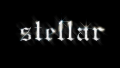
This is the red&blue 3d effect, Google it if needed this is also very simple but effective.
Step one : take your image text or what ever you want "3d".
![[Image: fbafZhd.png]](https://i.imgur.com/fbafZhd.png)
Step two : duplicate the layer by pressing CTRL+J or CMD+J.
![[Image: CqtWQRB.png]](https://i.imgur.com/CqtWQRB.png)
Step three : double click the layer to bring up layer options.
![[Image: KE0N1yD.png]](https://i.imgur.com/KE0N1yD.png)
Step four : on advanced blending untick Green and Blue then hit OK.
![[Image: rgENV0b.png]](https://i.imgur.com/rgENV0b.png)
Step five : move the layer two to the right by using the arrows.
![[Image: ThnbASs.png]](https://i.imgur.com/ThnbASs.png)
Step six : duplicate original layer then repeat but untick Green and Red this time and move left.
![[Image: xNsuxBm.png]](https://i.imgur.com/xNsuxBm.png)
Step seven : test out with pictures to make the Anaglyph effect.
Step one : take your image text or what ever you want "3d".
Step two : duplicate the layer by pressing CTRL+J or CMD+J.
Step three : double click the layer to bring up layer options.
Step four : on advanced blending untick Green and Blue then hit OK.
Step five : move the layer two to the right by using the arrows.
Step six : duplicate original layer then repeat but untick Green and Red this time and move left.
Step seven : test out with pictures to make the Anaglyph effect.